A workspace is the boundary around a set of pages, monitors, incidents and subscribers. Everything you do in the dashboard happens inside the current workspace, shown at the top of the sidebar. Most teams need one. Agencies need one per client.
The current workspace
The switcher under the logo shows the organisation and the workspace you are in. Every list on every screen is filtered to it. Switching does not sign you out; it changes what you are looking at.
Create a workspace
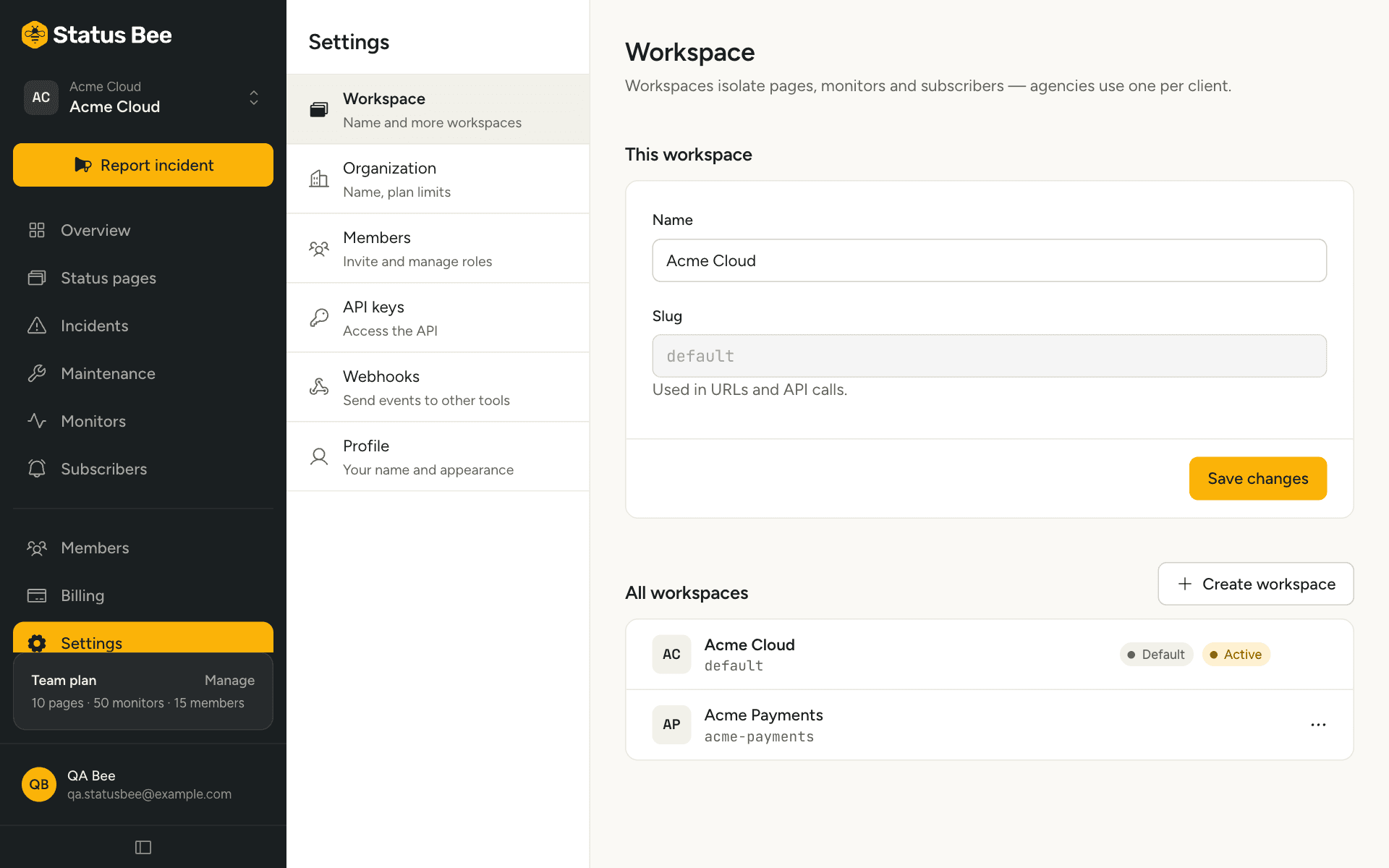
Settings, Workspace, then New workspace. Give it a name; the slug is generated. The new workspace starts empty: no pages, no monitors, no members other than the organisation-level ones who see everything.
Plans set how many workspaces an organisation can have: one on Free and Starter, three on Team, five on Business.
What is separate, and what is shared
| Per workspace | Per organisation |
|---|---|
| Status pages, components, custom domains | Plan and billing |
| Incidents, maintenance windows, message templates | Organisation-level members (owner, admin, billing) |
| Monitors and their checks | API keys (bound to one workspace or organisation-wide) |
| Subscribers | Plan limits: pages and monitors are counted across all workspaces |
| Outbound webhooks | |
| Workspace-level members and roles | |
| Audit log |
Rename
Settings, Workspace. The name shows in the switcher and in the audit log. The slug does not change.
Archive
Archiving hides the workspace and everything in it. Its pages stop being served, its monitors stop checking, and it no longer counts against limits. The default workspace cannot be archived. There is no un-archive in the dashboard yet; contact support if you need one back.
API
GET /user/workspaces lists the ones your credentials can see; POST /user/orgs/:orgId/workspaces creates; PATCH and DELETE /user/workspaces/:id rename and archive. See Workspaces in the API reference.