A maintenance window is planned downtime told in advance. Customers see it coming on the page, subscribers get reminders, and while it runs the affected components show Maintenance instead of an outage, which keeps your uptime history honest.
Schedule a window
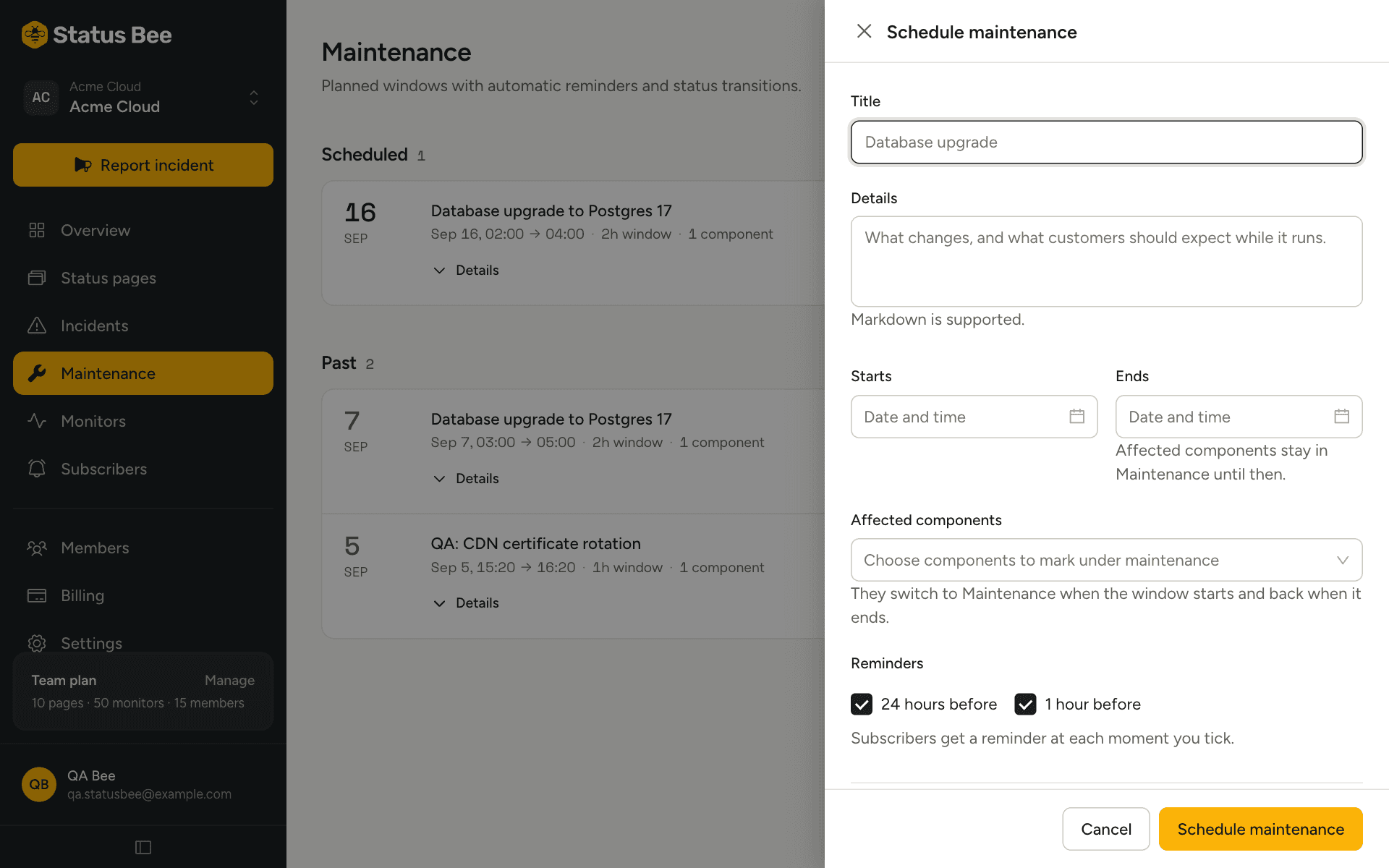
- Title and description
Say what you are doing and what customers should expect: “Database upgrade. Expect read-only mode for up to 20 minutes.” Markdown works.
- Start and end
Both are required, and the end must be after the start. Times are entered in the page's timezone and stored in UTC.
- Affected components
These switch to Maintenance while the window runs. Leave it empty for work that touches nothing customers see, such as a provider migration you still want to announce.
- Reminders
Default is 24 hours and 1 hour before the start. Change them per window in minutes. Reminders whose time has already passed when you save are skipped, so a window scheduled for “in 30 minutes” does not fire a 24-hour reminder immediately.
- Automatic transitions
On by default: the window starts and completes itself at the scheduled times. Turn it off if you want to start and finish by hand.
What subscribers receive
- When the window is scheduled.
- At each reminder offset.
- When it starts.
- When it completes.
Cancellation changes the page but does not message subscribers.
While it runs
The public page shows the window at the top with its end time, and the affected components read Maintenance. Time spent in maintenance is recorded separately from downtime and excluded from uptime percentages.
Start early, finish early, cancel
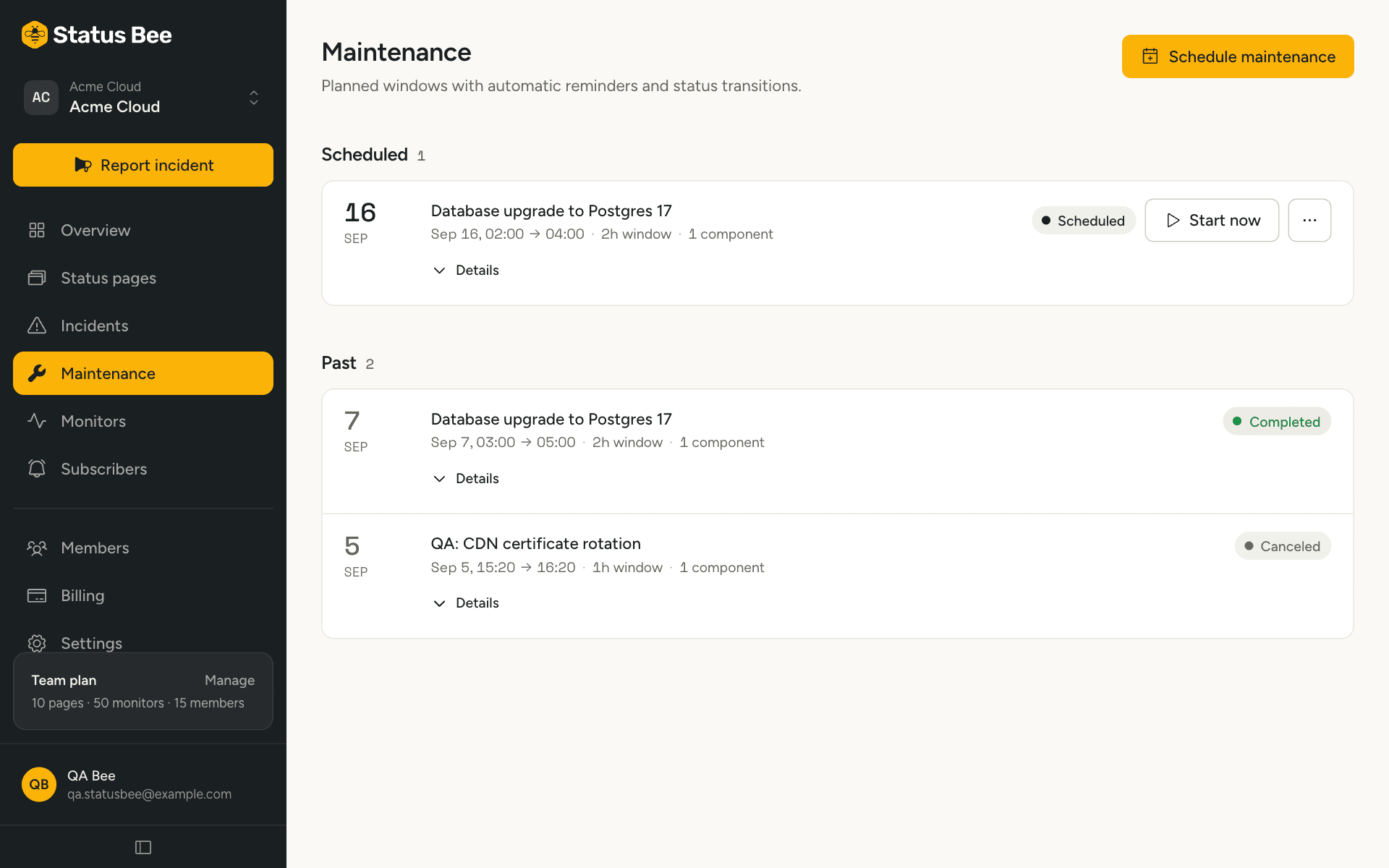
From the window's row: Start now, Complete, Cancel. Each is a one-way transition. Editing (title, times, reminders) is only possible while the window is still scheduled; once it has started, post the change as an incident update or complete it and schedule a new one.
API
POST /user/maintenances schedules; /start, /complete and /cancel change state; PATCH edits a scheduled window. See Maintenance windows in the API reference.