Subscribers are the people who asked to hear from your status page. They choose a channel when they subscribe, they can follow only some components, and they can leave with one click. You never pay per subscriber.
How someone subscribes
The public page has a Subscribe button. It offers every channel that is configured for your workspace:
| Channel | What the subscriber gives | Confirmation |
|---|---|---|
| An address | Double opt-in. A confirmation email is sent; the subscription is inactive until the link is clicked, and unconfirmed addresses are removed after 48 hours. | |
| Slack, Discord, Teams | An incoming webhook URL from their own workspace | A test message is posted immediately. If it fails, the subscription is rejected. |
| Webhook | An HTTPS URL | A signed test delivery. See Webhooks. |
| Telegram | Nothing typed; they open a bot link | The bot binds their chat when they press Start. |
| SMS | A phone number | Business plan only. Available once SMS delivery is enabled for your workspace. |
A subscriber can pick specific components. Someone who only uses your API can follow “API” and never hear about the dashboard.
What you see
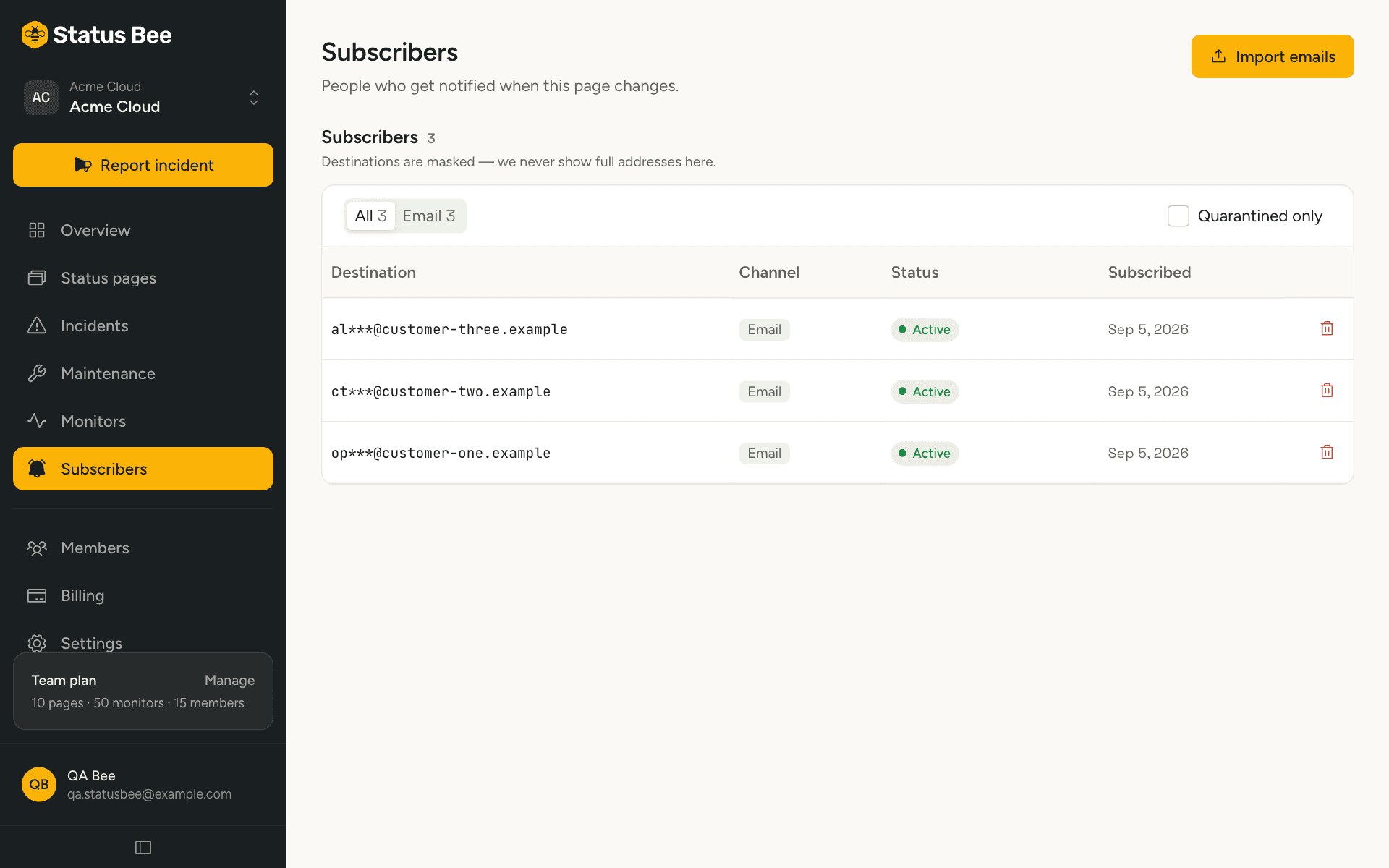
The Subscribers page shows totals per channel and a list. Destinations are masked (m•••••@acme.com) and cannot be revealed; the dashboard is for counting and removing, not for building a mailing list. Each row shows the channel, when they subscribed, which components they follow, and whether the address has been quarantined after bounces.
Import a list
If you already have a list of customers who asked for status updates, import it: Subscribers, then Import, one email address per line, up to a thousand at a time. Imported addresses are treated as confirmed. You are vouching that these people consented, and every message they receive carries an unsubscribe link.
Remove a subscriber
Delete from the row's menu. It is a hard delete, for data-protection requests; there is no undo. Subscribers can also remove themselves from any email, and mailbox providers can do it for them with one-click unsubscribe headers, which every email we send carries.
What they receive
- Incident updates, when the person posting the update leaves Notify subscribers on. Turn it off for a typo fix.
- Maintenance: when it is scheduled, at each reminder, when it starts, and when it ends.
- Nothing for component status changes on their own, monitor events or new subscribers. Those are for your team, via outbound webhooks.
API
GET /user/subscribers lists (masked), GET /user/subscribers/counts totals, POST /user/subscribers/import imports, DELETE /user/subscribers/:id removes. The public subscribe endpoint is documented under Status page data. See Subscribers in the API reference.