An API key lets a script or another system do what you can do in the dashboard. Keys are created and revoked under Settings, API keys, and are the only way to authenticate to the API without a person signing in.
Create a key
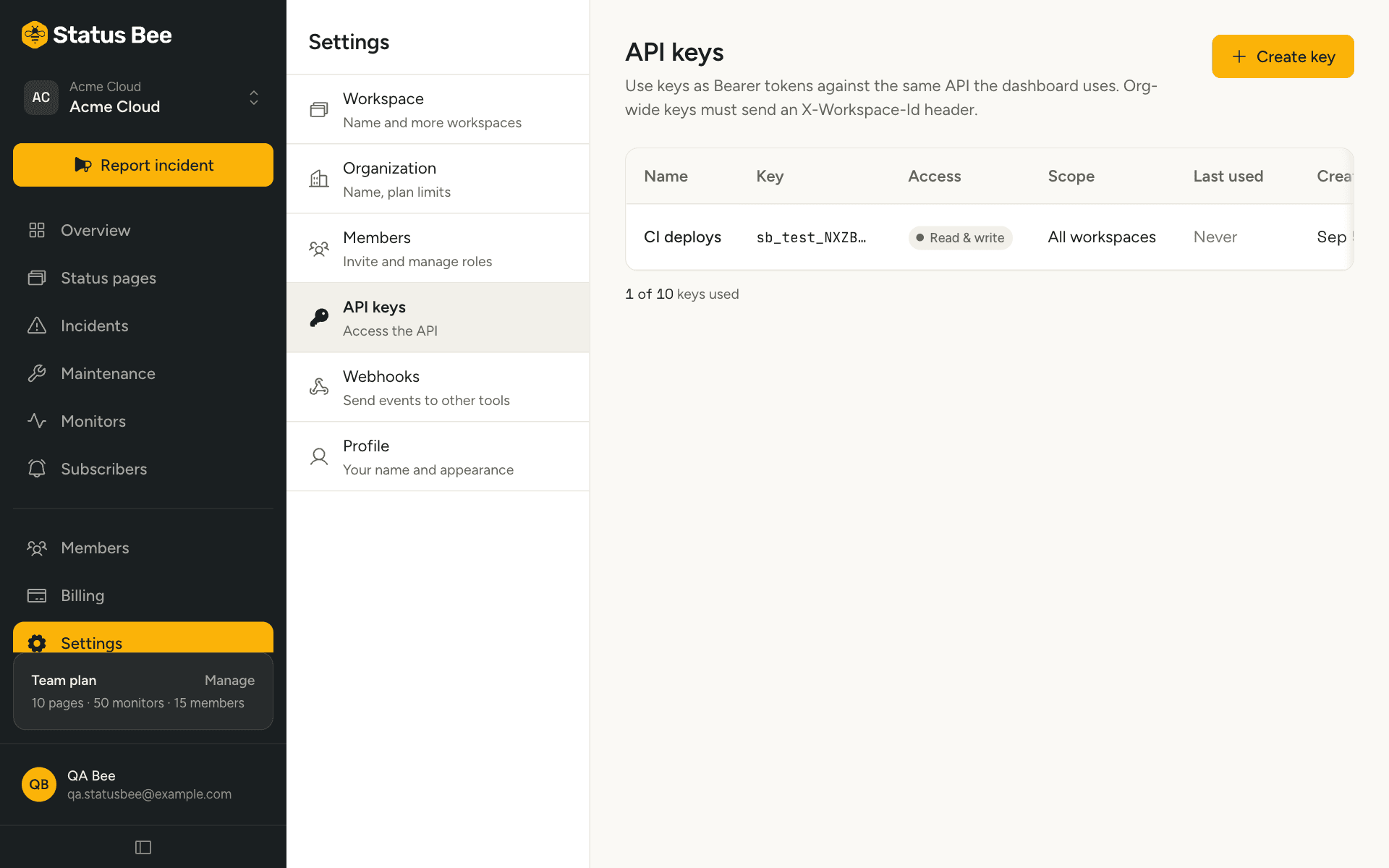
- Settings, API keys, then Create key
Name it after what will use it: “CI deploys”, “Zapier”, “Ops dashboard”.
- Choose access
Read, write, or both. Read covers every list and detail endpoint; write is needed to create or change anything.
- Choose the scope
One workspace, or all workspaces in the organisation. An organisation-wide key must say which workspace each request is for with an
X-Workspace-Idheader. - Copy the key
It is shown once. If you lose it, revoke it and create another; we keep only a hash.
Use it
curl "https://api.statusbee.co/user/monitors?workspace_id=5" \
  -H "Authorization: Bearer sb_live_…"
Full details, including the organisation-wide header and what keys cannot do, are in Authentication.
Last used
The list shows when each key was last used, updated at most once a minute. A key that has not been used in months is a key to revoke.
Revoke
From the key's row. Revocation is immediate: the next request with that key answers 401. Revoked keys do not count against the plan limit and are not listed.
Limits
Free has no API access. Starter allows three keys, Team ten, Business one hundred.
API
Keys can also be created and revoked through the API itself, with a key that has the api_keys.manage permission. See API keys in the API reference.