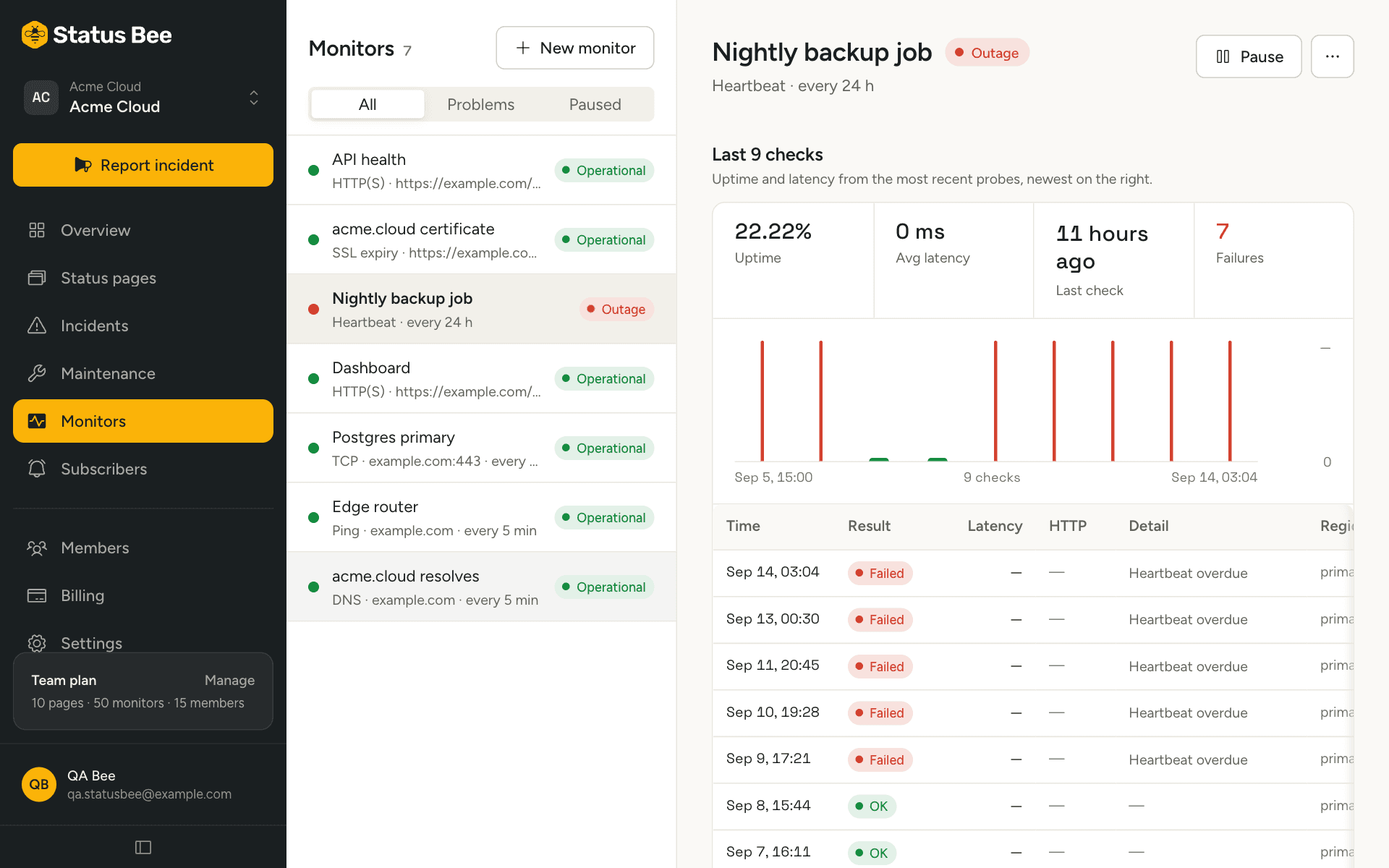
Some things cannot be checked from outside: a nightly backup, a queue drain, a job on a server with no public port. A heartbeat monitor turns the check around. You tell us how often the job should run, the job pings a URL when it finishes, and we alert when the pings stop.
Create one
- New monitor, type Heartbeat
Name it after the job and set the interval to how often the job runs: every 24 hours for a nightly backup, every 5 minutes for a queue worker.
- Copy the heartbeat URL
It is shown once the monitor is created and again on its detail. It contains a token; anyone with the URL can ping it, so treat it like a secret.
- Ping it from the job
A GET or POST to the URL when the job succeeds. No body, no auth, no response to parse.
Pinging from common places
# At the end of the job, only on success
curl -fsS "https://api.statusbee.co/heartbeats/hb_9f2c…" > /dev/null
Put the ping after the work, and only on success. A job that pings first and then fails looks healthy.
When it is down
The monitor is evaluated on its interval like any other. If no pulse has arrived within one and a half intervals, it is down: a daily job gets 36 hours of grace, a 5-minute job gets 7.5 minutes. The failure and recovery thresholds apply on top, and rules work the same way as for other monitors, so a missed backup can flip a component or draft an incident.
The next pulse brings it back up.
Limits
Pings are rate limited to 120 per minute per token. A job that pings more often than that will see 429s, which it can ignore; the monitor only needs one pulse per interval.
Rotate the token
Tokens cannot be rotated in place. Create a new heartbeat monitor, move the job's URL, then delete the old one.
API
POST /user/monitors with type: "heartbeat" returns heartbeat_url. The public ping endpoint is GET|POST /heartbeats/:token. See Heartbeats in the API reference.