Billing is per organisation and covers every workspace in it. Plans are flat: they change how many pages, monitors, workspaces and members you can have and how often checks run. Subscribers are never metered.
The Billing page
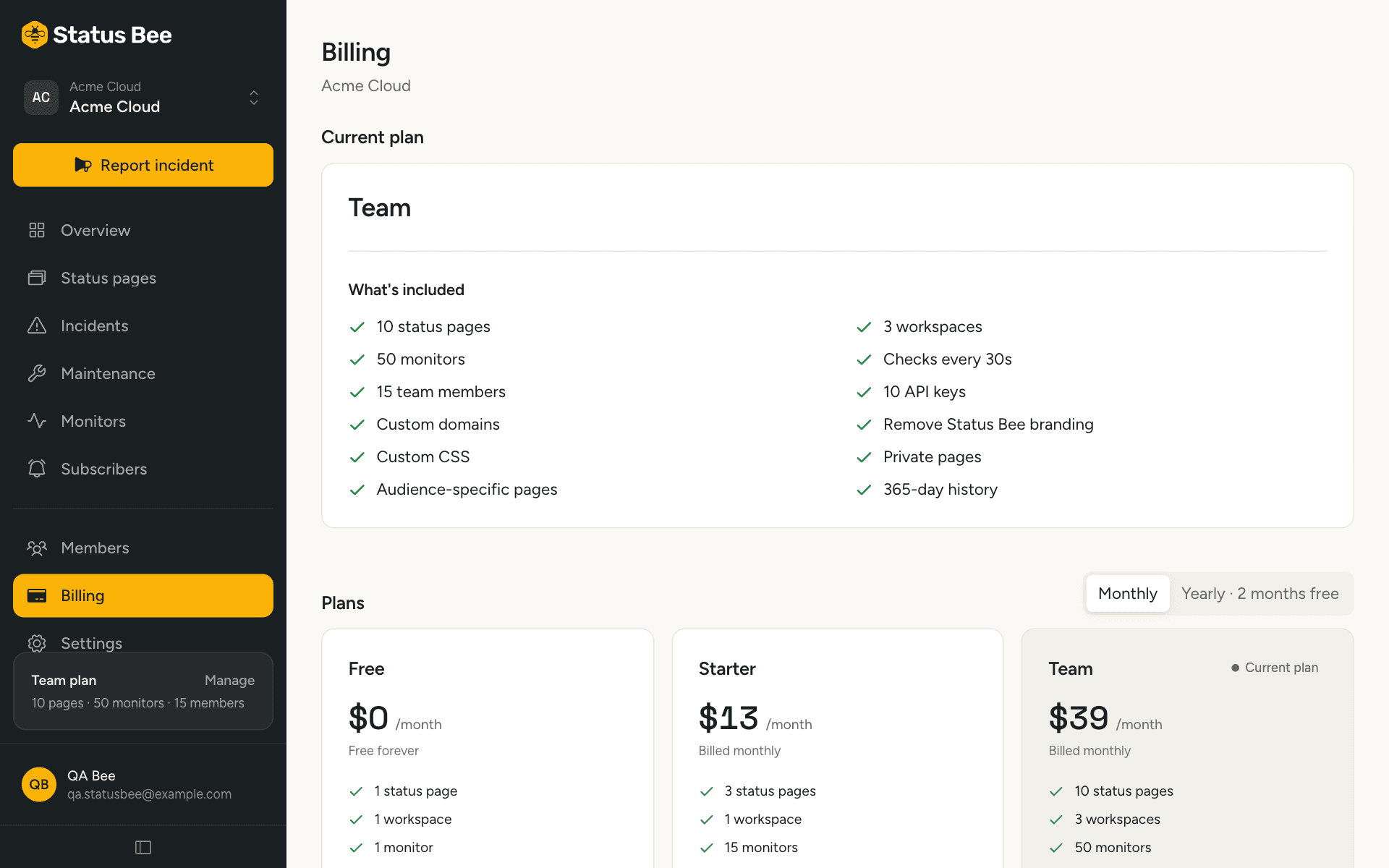
Billing shows the current plan, its limits against your usage, the renewal date and the subscription state. Only members with the owner or billing role see it.
Upgrade
Choose a plan and a cycle, monthly or annual. Checkout opens in an overlay handled by Paddle, our payment provider; card details never touch our servers. When payment completes, the plan flips within a few seconds and the limits apply immediately.
Change plans
From Billing, pick another plan. Upgrades take effect immediately and the difference for the rest of the period is prorated; the dashboard shows the amount before you confirm. Downgrades apply at the end of the current period. If something you have would not fit the smaller plan, for example four pages on a plan that allows three, the dashboard tells you before you confirm.
Cancel
Cancelling stops the subscription at the end of the paid period; you keep the plan until then. Cancel immediately is available for those who prefer it. A scheduled cancellation can be resumed from Billing before the date arrives.
When a payment fails
The subscription enters a grace period. You keep the paid plan while the provider retries the card, and the dashboard shows a banner with a link to update the payment method. If the payment still fails when the grace period ends, the subscription is cancelled and the organisation drops to the Free plan's limits.
What a limit means
Limits stop new things being created, not existing things from working. At the limit, Create is refused with an upgrade prompt and the API answers 403 PLAN_LIMIT. Pages and monitors are counted across all workspaces in the organisation.
| Free | Starter | Team | Business | |
|---|---|---|---|---|
| Status pages | 1 | 3 | 10 | 50 |
| Monitors | 1 | 15 | 50 | 100 |
| Fastest check | 5 min | 1 min | 30 s | 30 s |
| Workspaces | 1 | 1 | 3 | 5 |
| Team members | 1 | 5 | 15 | 30 |
| API keys | None | 3 | 10 | 100 |
| Uptime history | 30 days | 90 days | 365 days | 365 days |
| Custom domain | ✓ | ✓ | ✓ | |
| No branding, custom CSS | ✓ | ✓ | ||
| Private and password-protected pages | ✓ | |||
| SMS notifications | ✓ |
Current prices are on the pricing page; the catalog above is also available from the API at GET /plans.
Invoices and payment details
Manage payment method from Billing opens the provider's portal, where invoices can be downloaded and the card changed.
API
GET /user/billing?org_id= returns the plan, subscription state, entitlements and the catalog. Checkout needs a signed-in person; API keys can read billing state but not start a checkout. See Plans in the API reference.